
Sorting of data in ascending or descending order is available in every grid in every column`s header, as shown in the screenshot bellow.
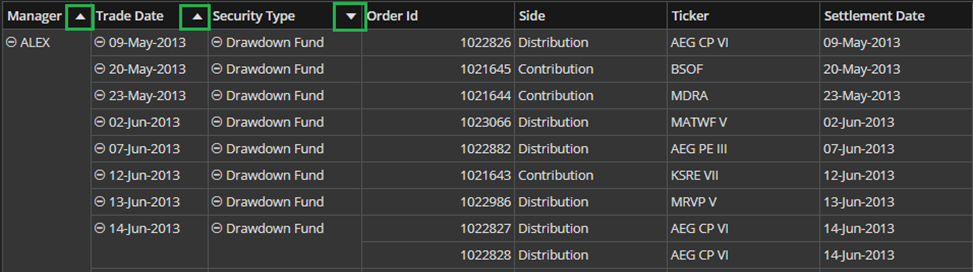
If some column is not already sorted (little arrows are not shown in the column`s headers right corner), if you hover over the right corner of the column`s header – the sorting icon will appear so that you can set desired sorting.

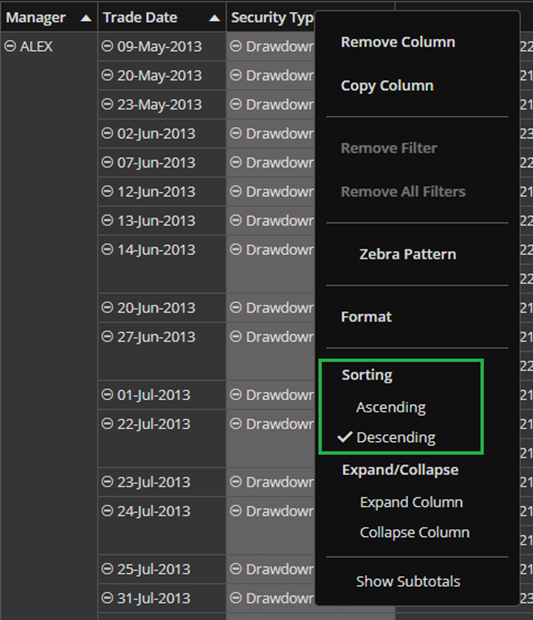
Sorting can also be set from the context menu over the column`s header. If you right-click the column`s header, the menu will expand and you will see the Sorting section (marked green in the screenshot below).
To remove sorting, right-click the column`s header and chose Remove All Sorting.
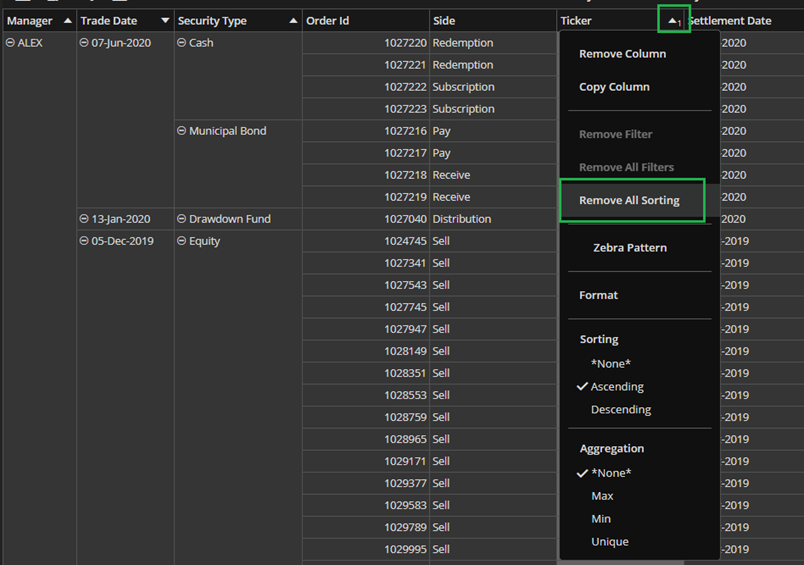
Action Remove All Sorting exists only in right-click menu of Values columns. Thus, you can’t remove sorting on group-by columns.
