For setting up new Master Accounts or SubAccounts, you will need the Accounting module.
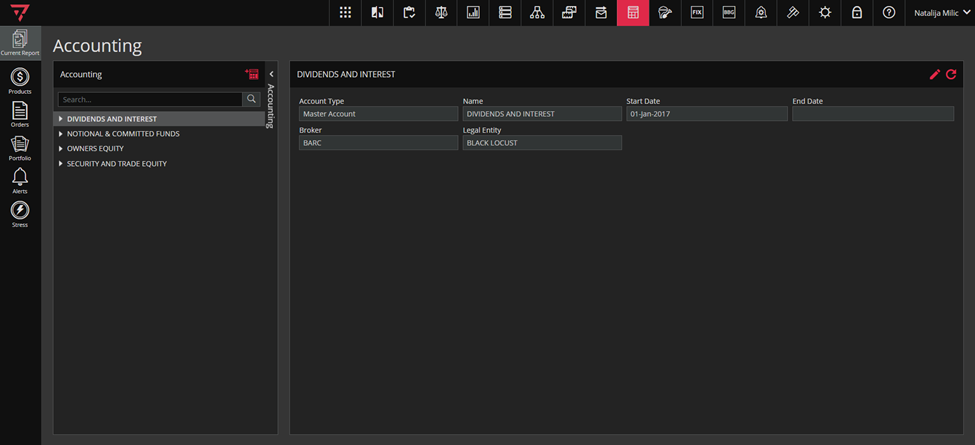
To access the Accounting module, click on the icon marked green in the singleton modules toolbar, as in the screenshot below.

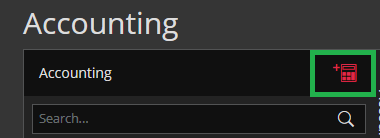
The items you see in collapsed in the curtain are called Master Accounts. You can add new Master accounts by clicking the Create New Account icon, as shown in the screenshot:
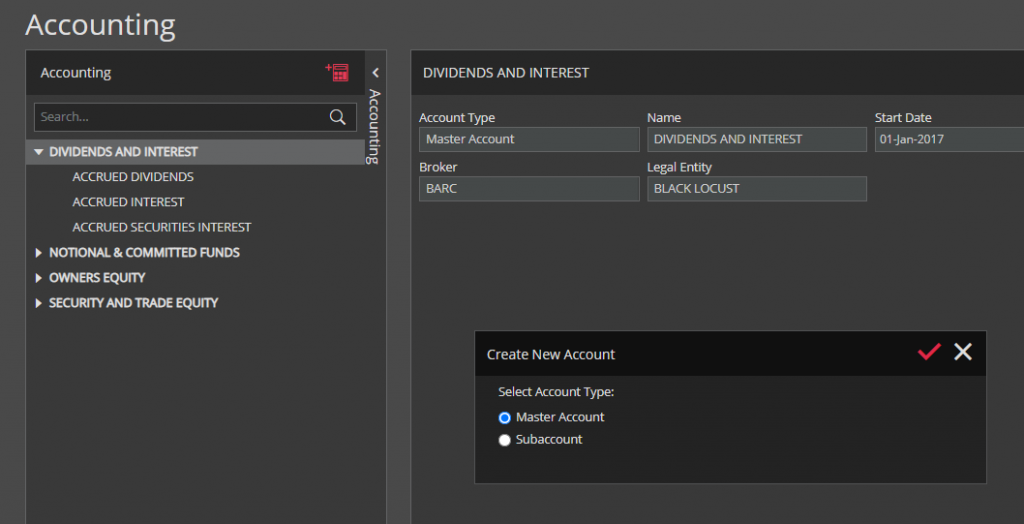
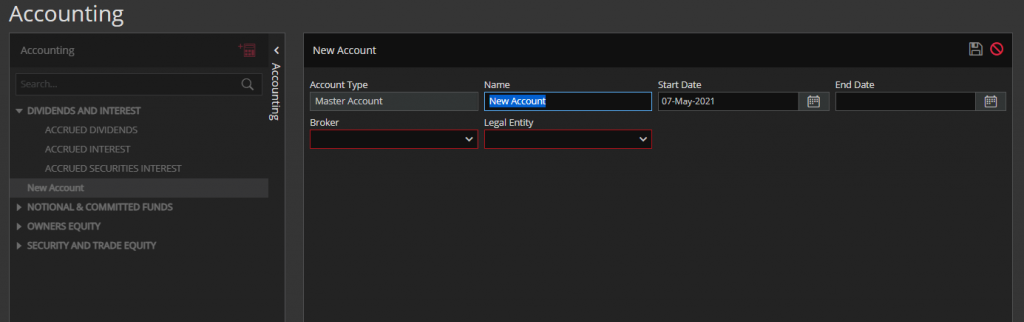
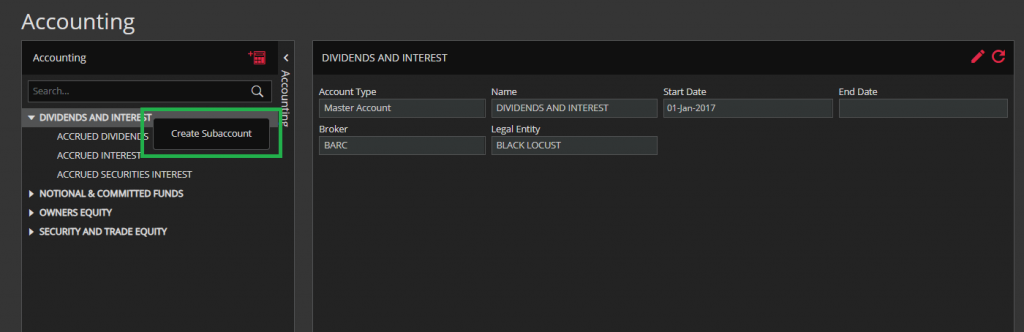
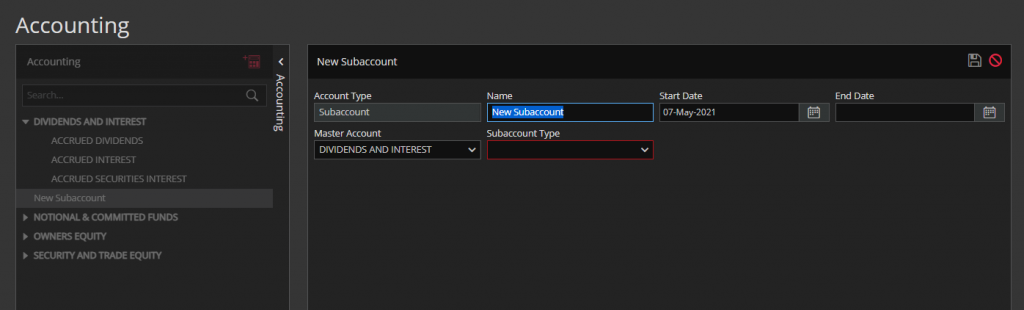
To create a subaccount, right-click the desired account and chose Create Subaccount (or chose the Subaccount from the Create New Account icon wizard (screenshots above)).